Device offline
-
In the device page, my printer will say offline. After refreshing a few times it will then display green as online. When I select a file to print from the app, the print button is greyed out with the red error saying something along the line of “printer offline or busy”. But it’s online and not busy. I’ve deleted app and reinstalled. Turned printer off and back on. Rescanned QR code several times. Out of typical fixes, hoping someone will know a trick or a step I’m missing? Thank you for any help in advance
-
@apple_user_1766879935
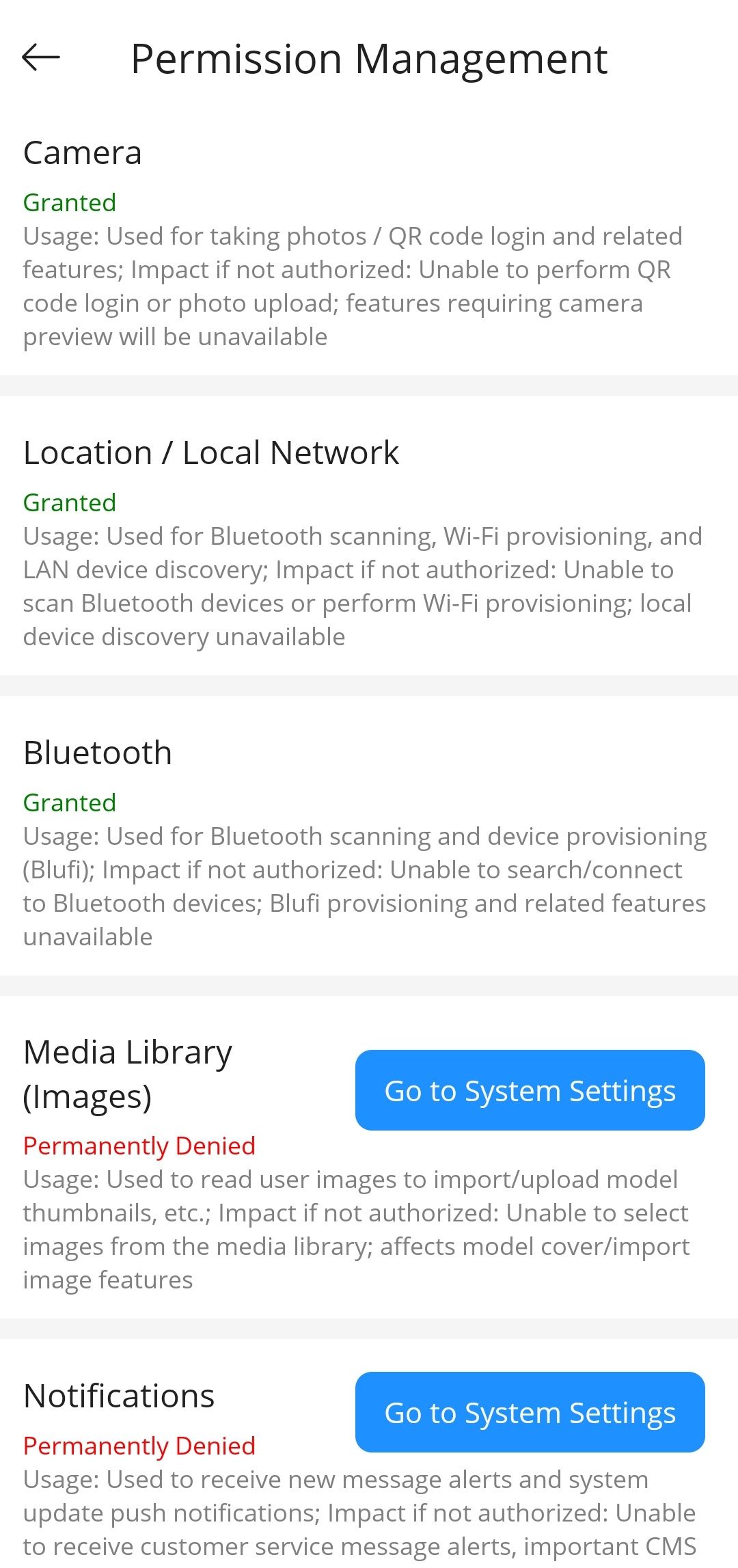
It’s possible that the connection issue is caused by incomplete app permissions. Could you please share a screenshot of the interface you’re seeing? This option can be found under Settings → Permission Management. If any permissions appear to be missing, you can manually enable them in your device settings.As another option, please uninstall the app and reinstall it. When prompted for permissions during setup, make sure to grant all of them to ensure proper functionality.
-
@apple_user_1766879935 said in Device offline:
In the device page, my printer will say offline. After refreshing a few times it will then display green as online. When I select a file to print from the app, the print button is greyed out with the red error saying something along the line of “printer offline or busy”. But it’s online and not busy. I’ve deleted app and reinstalled. Turned printer off and back on. Rescanned QR code several times. Out of typical fixes, hoping someone will know a trick or a step I’m missing? Thank you for any help in advance
Did you get help?