Help with 3DPrint settings to strengthen Prints movable parts.
-
Does anyone know how to adjust your print setting so prints that have movable pieces have thicker connective ligiments. So many prints I have tried that move break easily from flimsy connective parts? Like the skeleton print and the scorpion print.
Thanks in advance for any help on this problem or advice... -
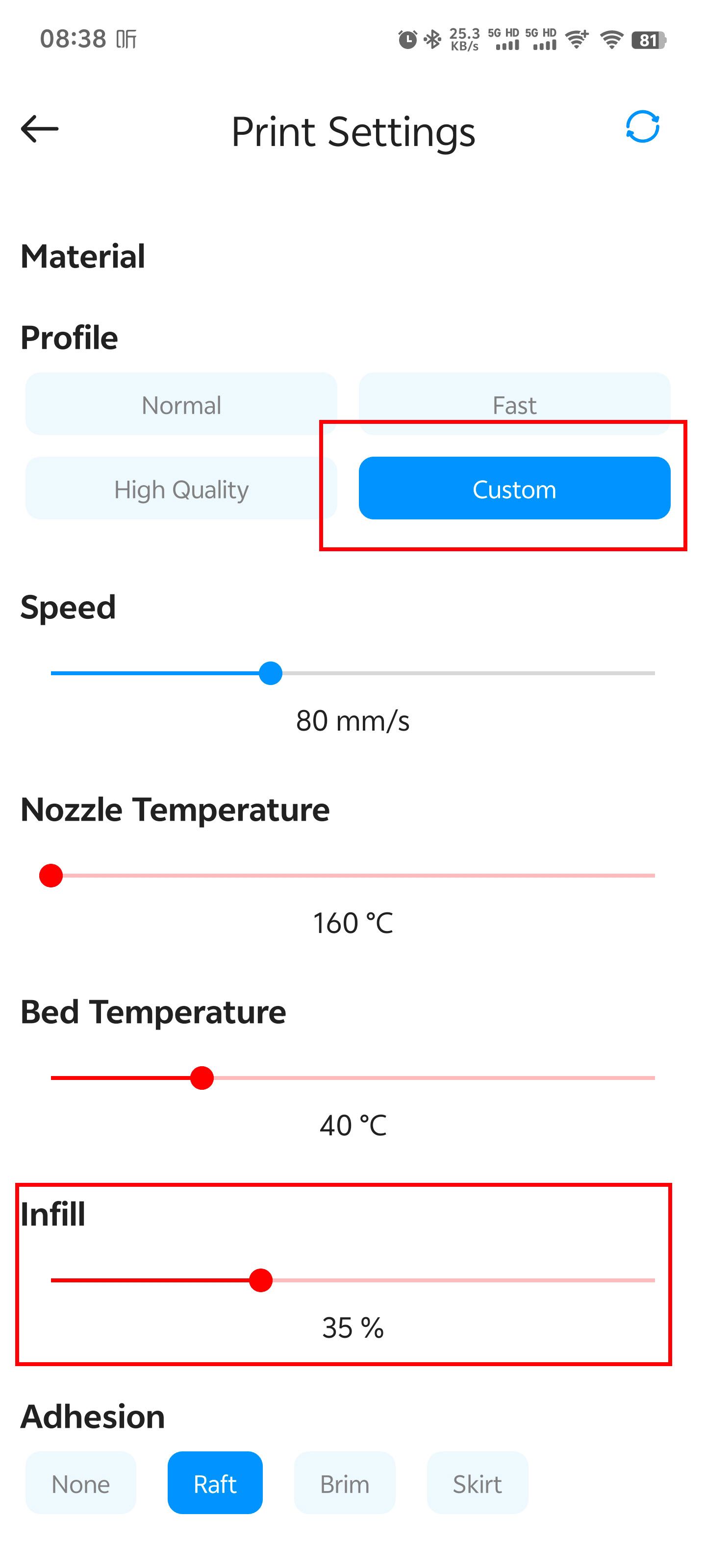
The default fill rate for cloud platform slicing is 10%. When you need to print items with high hardness, you can manually modify the filling rate parameter during printing settings.
The operation is to open the print settings page, click on Custom under the Profile, and the page will display detailed slicing parameter options. Adjust the Infill parameter to 30% or above.